
In Windows 11 Microsoft has introduced Smart App Control, which means they try to control which apps are safe to use. But at the same time they charge developers to have their software registered and the Online Bible would prefer to develop contant rather than pay for Microsoft to avoid this issue.
In the search bar at the bottom of your screen enter Smart App Control (after the first few letters this option should appear. We suggest turning this off, which will also avoid other apps being blocked. After this the Online Bible should run normally.
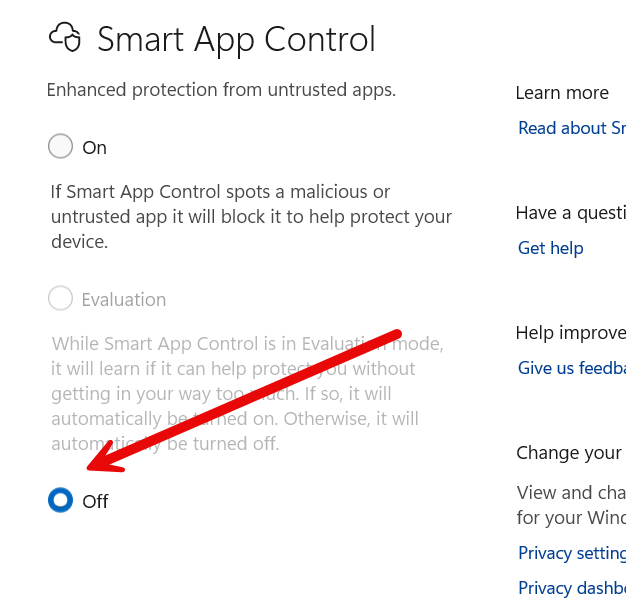
If you prefer not to turn it off, you can also select Evaluation insteIad and that should also improve the situation.